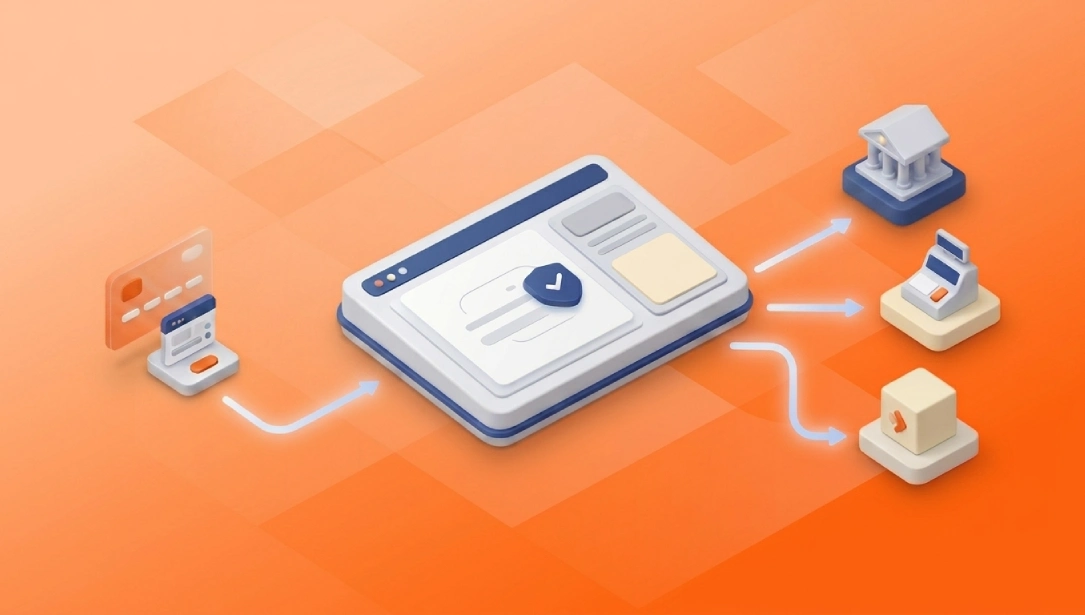
An online payment collection system simplifies accounting operations by connecting payments with customer, dealer, accounts receivable, and ERP workflows. When the appropriate integration is in place, it can reduce repetitive data entry, receipt checks, and manual payment matching. However, its real value depends not only on accepting payments but also on transferring accurate data, making errors visible, and managing exceptions in a controlled manner.
A successfully completed payment does not necessarily mean that the accounting process is complete. The finance team may still need to identify the payer, associate the payment with the correct invoice or outstanding balance, and record it in the company’s financial systems.
This guide explains how online payment collection and accounting integration works, which businesses may benefit from it, what to consider when selecting a solution, and how Netahsilat, Netekstre, and Posrapor contribute to different stages of the financial workflow.
What Does an Online Payment Collection System Do in Accounting?
An online payment collection system enables businesses to receive digital payments from customers, dealers, subscribers, or other users and manage the resulting transaction records centrally. From an accounting perspective, its primary value lies in connecting each payment with the correct commercial and financial record.
Knowing only the transaction amount and payment date is not sufficient for an accounting team. A payment may also need to be associated with a customer ID, dealer record, invoice number, receivable reference, and transaction status.
Without this connection, the payment may have been received while the corresponding customer account or accounting record remains incomplete.
What Is the Difference Between a Virtual POS and an Online Payment Collection System?
A virtual POS is the payment acceptance infrastructure that processes card transactions. An online payment collection system can cover a broader operational scope, including customer or dealer management, payment links, user management, reporting, and ERP connectivity.
In simple terms:
A virtual POS processes the card payment.
An online payment collection system helps manage the payment within the wider commercial and financial workflow.
A business may successfully accept payments through a virtual POS but still need to manually determine which customer, dealer, invoice, or outstanding balance each payment belongs to.
This distinction is particularly important for companies with dealer networks, recurring payment collection processes, or large numbers of customer accounts.
Why Should Payment Collection Data Be Connected to ERP and Customer Accounts?
Connecting payment collection data to ERP and customer accounts helps ensure that each payment is applied to the correct financial record.
When information is missing or inaccurate, finance teams may have to investigate transactions through payment receipts, emails, bank interfaces, or spreadsheets.
A complete payment collection record may include:
Customer or dealer ID
Invoice or receivable reference
Payment amount
Transaction date
Payment channel
Transaction status
Cancellation or refund information
The required data fields may vary depending on the company’s ERP structure and accounting processes. The key requirement is that the information collected at the payment stage must be sufficient and consistent enough to support the financial record.
How Does Manual Payment Collection Tracking Complicate Accounting?
The main problem with manual payment collection management is not that a single transaction takes too long. It is that the same checks must be repeated across a large number of transactions.
A finance employee may need to locate the payment, identify the payer, find the relevant customer account, and re-enter the transaction into the ERP or accounting system. If payment references are missing, the employee may also need to contact the customer, dealer, or sales team.
As transaction volume, payment channels, and customer accounts increase, this operating model becomes difficult to scale.
Process | Manual management | Integrated payment collection approach |
Payment tracking | Managed through bank interfaces, emails, and spreadsheets | Payment records can be monitored centrally |
Customer or dealer matching | Investigated manually by an employee | Can be supported with predefined IDs and references |
Customer account entry | Data is entered into the ERP again | Data can be transmitted through the defined integration workflow |
Error risk | Can increase with repetitive manual entry | The number of manual entries can be reduced |
Exception management | Managed through emails and separate lists | Irregular transactions can be routed into defined control workflows |
Reporting | Data is collected from different sources | A more standardised data structure can simplify reporting |
The integrated model shown in this table represents a general operating approach. The level of automation available at each stage depends on the technical scope of the selected solution.
What Risks Are Created by Repetitive Data Entry?
Entering the same payment information separately into multiple systems does more than waste time. It can also create inconsistencies in amounts, customer IDs, transaction dates, or reference numbers.
Integration can reduce part of this repetition. However, if customer records or matching rules are inaccurate, incorrect entries may be replicated more quickly and at greater scale.
Before automating the workflow, businesses should therefore review:
Whether customer and dealer IDs are consistent across systems
Which payment information must be mandatory
How transactions with missing references will be handled
Which data fields will be transmitted to the ERP
Who owns the transaction and who is authorised to make corrections
Automation does not repair poor data structures by itself. Data and process standards must be established first.
Why Do Cancellations, Refunds, and Partial Payments Create Manual Work?
Standard, complete payment transactions are generally the easiest part of the payment collection process to manage. Operational quality becomes more visible when a transaction falls outside the standard workflow.
For example:
A customer may pay only part of an outstanding balance.
A payment may be associated with the wrong customer account.
A cancellation or refund may occur after payment.
The payment may succeed while the ERP transfer fails.
The same transaction may be processed more than once.
The payment reference may be missing or inaccurate.
The way these scenarios are managed differs between systems. A solution should therefore not be evaluated only through a successful payment demonstration.
How Does an ERP-Integrated Online Payment Collection System Work?
An ERP-integrated online payment collection system connects digitally received payment information with the company’s financial record infrastructure. The scope of the data flow depends on the ERP platform, the integration method, and the company’s business rules.
Definition: An ERP-integrated payment collection system is a structure that transfers digitally received payment information into an ERP or accounting platform. Depending on the integration scope, payments may be associated with customer accounts, invoices, or outstanding receivables, reducing the need for repetitive manual data entry.
A general integration workflow may include the following stages:
The customer or dealer completes a payment.
The system records the payment and user information.
The customer account ID or payment reference is checked.
Defined business and matching rules are applied.
Relevant data is transmitted to the ERP or accounting platform.
The transfer status is recorded.
Failed or unmatched transactions are directed to the defined control process.
This does not mean that the workflow operates identically or entirely automatically in every Finrota customer project. The integration scope is determined by the relevant package, ERP platform, project requirements, and technical architecture.
How Is Payment Collection Data Transferred to an ERP?
Payment collection data can be transferred to an ERP through APIs, web services, or project-specific connections. The fields to be transmitted, the record that will be created in the ERP, and the status logic applied to each transaction should be defined before implementation.
Finrota’s developer documentation includes different API categories for ERP payment transaction reporting, customer account movements, payment transactions, dealer payments, and customer-dealer services. On the Netahsilat corporate product page, accounting and ERP customer payment integration is presented as an optional capability.
It is therefore accurate to state that Netahsilat can connect with ERP systems. However, it should not be assumed that every project includes the same data fields, transfer frequency, or operational workflow.
How Does Customer Account Matching Work?
Customer account matching is the process of associating a payment with the correct customer, dealer, invoice, or outstanding receivable record.
One or more of the following data fields may be used:
Customer account ID
Customer number
Dealer ID
Invoice number
Order number
Receivable or payment reference
Definition: Customer account matching is the process of associating a received payment with the correct customer, dealer, invoice, or outstanding receivable record. Its purpose is to direct the payment to the correct financial record and reduce the need for manual investigation.
The matching fields depend on the company’s data model. If sufficient reference information is not collected during payment, automated or rule-based matching may not produce reliable results.
Businesses should therefore ask the solution provider:
Which fields are used for matching?
How are transactions with missing references identified?
How can an incorrect match be corrected?
Are corrections and changes recorded?
How are customer IDs synchronised between the systems?
These are general solution evaluation criteria. They do not imply that every mechanism is included as a standard Netahsilat capability.
What Is the Difference Between Real-Time and Scheduled Data Transfers?
In a real-time model, payment collection data is sent to the ERP immediately after the transaction. This model may be useful for organisations that require customer account balances to remain continuously up to date.
In a scheduled transfer model, transactions are transmitted in batches at predefined intervals. This approach may be preferred because of ERP capacity, internal control policies, or accounting closing procedures.
The appropriate model should be selected according to:
Transaction volume
Urgency of the financial record
ERP capacity
Approval and control requirements
Management of connection interruptions
Failed transaction procedures
It should not be assumed that Netahsilat provides real-time or bidirectional data transfer across every ERP project. The applicable model must be clarified with the technical teams before implementation.
What Happens When the Payment Succeeds but the ERP Transfer Fails?
When the payment succeeds but the ERP transfer does not, the same payment should not be collected again. The existing transaction must be located, the error identified, and the record transmitted securely to the financial system.
When evaluating an integration solution, businesses should determine whether it supports or provides visibility into:
Error codes and descriptions
Failed transaction lists
Transaction status
Retransmission methods
Duplicate record controls
User notifications
Transaction and change history
Authorised intervention procedures
Finrota’s dealer payment service documentation includes fields such as transaction status, ERP transaction code, update time, error code, error message, and cancellation or refund information. However, the way these fields are used within the company’s ERP depends on the specific integration project.
How Does a Payment Move from Collection to the Accounting Record?
Consider a distribution company that regularly collects payments from dealers operating in different regions.
In a manual process, the finance team may:
Review the payment record.
Identify the dealer that made the payment.
Locate the relevant invoice or outstanding receivable.
Re-enter the payment into the ERP.
Check the corresponding bank transaction separately.
Track unmatched records in a separate file.
In an integrated approach, the payment may be recorded together with dealer and payment references. When the optional ERP or customer account payment integration is configured, relevant data can be transmitted into the defined financial workflow.
This structure does not completely remove the role of the finance team. It can help the team focus on incomplete, inaccurate, or unmatched transactions instead of re-entering every standard payment.
The main operational benefit is not removing human control. It is directing human intervention to the transactions that genuinely require it.
Which Businesses Need an ERP-Integrated Online Payment Collection System?
A comprehensive payment collection and ERP integration is not equally necessary for every business. Its value generally increases with transaction volume, the number of customer accounts, the diversity of payment channels, and operational complexity.
Evaluating an integrated payment collection structure may be worthwhile when:
Payment collection data is manually re-entered into the ERP or accounting system.
Identifying which customer, dealer, invoice, or receivable a payment belongs to takes time.
Dealer, sub-dealer, field, and head-office collections cannot be monitored within the same management workflow.
Partial, excess, or unreferenced payments require extensive manual checks.
Cancellations and refunds are tracked separately from payment collection records.
Bank, payment collection, ERP, and reporting data must be combined from different sources.
Month-end checks take longer because of repeated corrections.
Preparing a payment collection report requires multiple files or systems.
For businesses with very low transaction volumes or no ERP platform, the cost of a comprehensive integration may exceed the operational benefit.
The evaluation should therefore begin with the question, “Which manual tasks and control requirements will the integration reduce?” rather than simply, “Can the systems be integrated?”
How Do Netahsilat and Netekstre Support the Payment Collection and Accounting Workflow?
Netahsilat and Netekstre do not perform the same function. Netahsilat focuses on accepting and managing payment collections, while Netekstre focuses on bank account and transaction visibility.
When used together, they can help establish a more comprehensive financial view between the initial collection of a payment and the related transaction appearing in a bank account. This does not mean that an automatic matching mechanism is available in every customer configuration.
Which Payment Collection Processes Does Netahsilat Centralise?
Netahsilat is a corporate payment collection platform that enables businesses to collect online payments from dealers, sub-dealers, and customers.
Its current corporate product scope includes:
Credit and debit card collections
SMS and email payment collection
Dealer and customer payments
Sub-dealer collections
Sales representative and field collection modes
Online voids and refunds
Different payment configurations
Foreign currency and foreign-currency-indexed payment options
Optional accounting and ERP customer payment integration
Web service infrastructure
Capabilities may vary depending on the selected package and project scope.
Netahsilat is particularly relevant for organisations that need to:
Collect payments from multiple customer, dealer, or sub-dealer groups
Monitor payment collection transactions centrally
Connect field or sales representative collections with central finance operations
Use payment links or remote payment collection channels
Connect payment collection data with ERP and accounting workflows
Establish dealer- and user-level payment visibility
Reduce repetitive data entry
Support finance and accounting teams with shared payment collection data
Specific processes such as partial payment management, automatic correction of incorrect matches, or automated exception queues should not be considered standard Netahsilat capabilities without confirmation.
How Can Bank Transactions Be Monitored with Netekstre After Payment Collection?
Netekstre is an open banking solution that consolidates account and corporate card transactions from different banks into a single platform.
Its current product scope highlights:
Monitoring bank accounts and card transactions through one platform
Balance and account transaction visibility
Real-time notifications
Consolidated reporting
User authorisation
Rule-based bank API integration using tax ID, IBAN, or transaction type
ERP and accounting transfers
Netekstre is particularly relevant for:
Companies working with multiple banks and bank accounts
Teams checking separate online banking interfaces
Finance departments requiring consolidated account transaction and balance visibility
Businesses seeking to monitor corporate card transactions centrally
Companies connecting banking data to ERP, accounting, or reporting workflows
When Netahsilat and Netekstre are considered together, collected payments and transactions appearing in bank accounts can be reviewed within a more comprehensive financial visibility model.
However, the scope of any automatic matching between the payment collection record and the bank transaction must be determined according to the applicable technical architecture.
What Is the Difference Between Netahsilat, Netekstre, and Posrapor?
Solution | Primary function | Main data area | Business requirement addressed |
Netahsilat | Accepting and managing online payment collections | Customer, dealer, and payment data | Centralising payment collection processes |
Netekstre | Consolidating bank account and corporate card transactions | Bank account, balance, and transaction data | Providing multi-bank visibility |
Posrapor | Reporting physical and virtual POS transactions | Amount, commission, instalment, settlement date, and related POS data | Monitoring POS revenue and deductions |
Netahsilat should not be positioned as a solution for POS commission or settlement-date tracking. These requirements fall within the scope of Posrapor.
Netekstre does not accept online payments. It focuses on visibility into bank accounts and account transactions.
Posrapor consolidates physical and virtual POS transactions into a common format, reports fields such as commission, instalment, maturity, and settlement date, and supports transfers to ERP and accounting systems.
The commercial value of these products may increase when they are used in complementary scenarios. Nevertheless, each product’s function and integration scope must be evaluated separately.
What Should Businesses Consider When Selecting an ERP-Integrated Payment Collection System?
The selection process should not focus only on payment channels, the number of virtual POS connections, or the user interface. Businesses must also evaluate how financial data will move through their existing infrastructure.
Evaluation criterion | Question to ask | Potential risk |
ERP compatibility | Is the connection ready-made or project-based? | Unexpected development requirements |
Direction of data flow | Is the data flow unidirectional or bidirectional? | Missing or inconsistent records |
Transfer frequency | Is the transfer real-time or scheduled? | Delayed customer account visibility |
Matching method | Which IDs and references are used? | Incorrect customer account entries |
Cancellations and refunds | How is the financial record updated? | Differences between payment and accounting records |
Error management | How are failed transactions identified? | Invisible operational errors |
Retransmission | Can a failed record be safely resent? | Missing or duplicate records |
Authorisation | How are user roles restricted? | Unauthorised actions or access |
Testing | Are exception scenarios tested before go-live? | Process errors in the live environment |
Technical ownership | Which party is responsible for each integration issue? | Longer resolution times |
Reporting | Which transaction and error fields will be reported? | Insufficient data and control visibility |
A demonstration of a successful payment transaction is not sufficient. Businesses should also ask how the solution manages missing references, cancellations, refunds, failed ERP connections, and interrupted data transfers.
What Are the Most Common Misconceptions About Online Payment Collection Automation?
Misconceptions about online payment collection automation can lead to more than conceptual errors. They may result in an incomplete integration scope, the wrong product selection, or financial record discrepancies that are detected too late.
Automation should not be considered a structure that completely removes human intervention. It should be viewed as a system that reduces repetitive work and redirects control to the points where it is genuinely required.
Is an Online Payment Collection System Unnecessary When a Virtual POS Is Already Available?
No. A virtual POS processes the card payment, but it does not independently manage the commercial relationship between the payment and a customer, dealer, invoice, or outstanding receivable.
An online payment collection system can support the connection of payments with customer, dealer, reporting, and ERP processes.
Without this distinction, a business may accept payments digitally while its finance team continues to manage matching, recording, and control activities manually.
Does ERP Integration Automatically Apply Every Payment to the Correct Customer Account?
No. The existence of ERP integration does not mean that every payment will automatically be applied to the correct customer account.
Accurate matching depends on:
Consistent customer account IDs
Accurate customer or dealer information
Available invoice or receivable references
Correctly configured business rules
Defined procedures for incomplete or inaccurate records
Payments containing missing or inaccurate references may not be matched automatically. Incorrectly configured rules may also direct the payment to the wrong financial record.
Integration should therefore be evaluated not only in terms of data transfer but also in terms of matching and correction procedures.
Does ERP Integration Completely Remove Human Control and Error Risk?
No. Integration can reduce repetitive manual tasks, but it does not completely remove human oversight or the possibility of errors.
In a manual workflow, an error may result from a single employee entering incorrect data. In an automated workflow, an incorrect rule may apply the same error to a large number of transactions.
In a controlled model, the finance team focuses on:
Transactions with missing references
Inaccurate or suspicious matches
Failed transfers
Cancellations and refunds
Authorisation or transaction discrepancies
Successful automation does not remove finance employees from the process. It redirects their time towards more critical control activities.
Does a Single Platform Mean That Every Financial Function Is Included in One Product?
No. Managing financial processes through centralised visibility does not mean that every function is performed by a single product.
Within the Finrota product architecture:
Netahsilat focuses on online payment collection.
Netekstre focuses on bank accounts and corporate card transactions.
Posrapor focuses on physical and virtual POS reporting.
These solutions can complement one another in combined usage scenarios. However, attributing one product’s capabilities to another may lead to an incorrect assessment of business requirements and integration scope.
What Are the Risks of ERP-Integrated Online Payment Collection Systems?
The main risk in an ERP-integrated payment collection system is not limited to data failing to transfer. A payment may be matched to the wrong record, processed more than once, or appear successful even though a downstream error has occurred.
These are general integration risks. The controls listed below should not be assumed to be standard Netahsilat capabilities unless confirmed.
Risk area | What may happen? | Operational consequence | Control to evaluate |
Customer ID mismatch | The payment is directed to an incorrect or empty account | Outstanding balances and correction workload | Common customer ID structure |
Missing payment reference | The payment cannot be matched correctly | Manual investigation is required | Mandatory reference fields |
Duplicate transfer | The same payment is processed more than once | Incorrect accounting entry | Unique transaction and record controls |
Disconnected refund information | Payment and accounting records become inconsistent | Incorrect customer balance | Cancellation and refund workflow |
Failed transfer | Payment exists but the ERP record is missing | Customer account may remain outstanding | Error visibility and retransmission procedure |
Excessive user access | Unauthorised changes can be made | Audit and security risk | Role-based authorisation |
Insufficient testing | Issues are discovered in the live environment | Operational disruption | Exception-based test plan |
Unclear ownership | The party responsible for the error cannot be identified | Longer resolution times | Integration responsibility matrix |
Late reporting design | Required data is not collected from the beginning | Insufficient control and analysis | Reporting fields defined in advance |
Data and Customer Account Matching Risks
Different customer or dealer IDs in the ERP and payment collection system may cause a payment to be directed to the wrong record or remain unmatched.
Similarly, a payment without a customer number, invoice number, or receivable reference may require manual investigation.
To reduce these risks before integration:
Compare customer and dealer records.
Establish a shared reference structure.
Define mandatory payment data.
Determine how incomplete records will be managed.
Transaction Integrity and Exception Risks
The same transaction may be transferred more than once after a connection failure, retransmission, or manual intervention.
If a cancellation or refund occurs after the payment has already been transferred to the ERP and the financial record is not updated, discrepancies may arise between the systems.
A successful payment followed by a failed ERP transfer can also leave an outstanding customer balance even though the payment was received.
Businesses should therefore ask:
Are transactions tracked with unique references?
How are cancellations and refunds transferred?
How are failed transactions shown to users?
What control is applied when a transaction must be resent?
Authorisation and Audit Risks
Allowing every user to modify payment records, resend transactions, or change customer account information increases control risk.
Role-based authorisation, approval procedures, and change history should therefore be included in the assessment.
Netekstre explicitly provides account-, transaction-type-, and customer-level user authorisation. The scope of authorisation within Netahsilat and its ERP integration should be confirmed according to the selected package and project.
Testing, Ownership, and Reporting Risks
Testing only successful payment scenarios may cause important problems to appear for the first time in the live environment.
A test plan should also cover:
Missing references
Incorrect customer or dealer IDs
Cancellations and refunds
Failed ERP connections
Repeated transmission of the same transaction
Connection interruptions
Unauthorised action attempts
Responsibilities between the payment collection provider, ERP provider, and the company’s IT team should also be defined before implementation.
How Can ERP-Integrated Payment Collection Risks Be Reduced?
The following controls should be evaluated at the beginning of the project:
Establish a shared customer ID and reference structure.
Define mandatory payment information.
Determine the direction and frequency of data transfers.
Define cancellation and refund workflows.
Make failed and inaccurate transactions visible.
Establish a method for controlling duplicate transactions.
Restrict user roles and permissions.
Test exception scenarios.
Prepare an integration responsibility matrix.
Define reporting requirements before development begins.
If these controls are not addressed in the proposal and project plan, the solution may have been evaluated only as a payment acceptance tool rather than a complete financial workflow.
Which KPIs Should Be Used to Measure Payment Collection Automation?
A payment collection project should not be measured only by whether the technology is functioning. Businesses should also monitor how much the underlying operation has improved.
Measurement area | Example KPI | What it indicates |
Manual workload | Manual control time per transaction | Operational time requirement |
Matching quality | Percentage of automatically or rule-based matched payments | Data and rule quality |
Exception volume | Percentage of transactions requiring manual review | Actual scope of automation |
Transfer success | Successful ERP transfer rate | Technical integration quality |
Posting time | Time between payment and ERP record | Financial data timeliness |
Correction workload | Number of transactions corrected after processing | Process and data quality |
Refund process | Time required to complete the refund record | Reverse transaction management |
Report preparation | Time spent preparing payment collection reports | Data consolidation workload |
Measuring these indicators before implementation makes it possible to evaluate the actual change after go-live.
Not every business will have the same objective. One company may focus on reducing manual entry time, while another may prioritise reducing unmatched payment records.
Automation that is not measured can become another software investment without demonstrating whether the operation has genuinely improved.
Frequently Asked Questions
Can an Online Payment Collection System Be Connected to Accounting Software?
Yes. Online payment collection systems can be integrated with ERP or accounting platforms. However, whether the connection is ready-made or project-based, which data fields are transferred, and how the data flow operates depend on the selected solution.
Netahsilat offers accounting and ERP customer payment integration as an optional capability.
Are Payments Automatically Posted to the Customer Account?
When the appropriate integration and matching rules are configured, payment information can be directed to the relevant customer account workflow.
However, missing references, inaccurate customer information, or differences in project scope may still require manual control.
The statement “ERP integration is available” does not mean that every payment will be posted automatically and unconditionally to the correct account.
Is Technical Development Required for the Integration?
Technical development may be required when there is no ready-made connection for the company’s ERP or when the business uses customised workflows.
Finrota provides REST APIs and different service categories for ERP and payment processes. However, the services to be used and the level of development required on the business side must be determined on a project basis.
How Is the ERP Record Updated When a Payment Is Cancelled?
The way cancellation or refund information is reflected in the ERP depends on the integration model.
Netahsilat includes an online void and refund capability within its corporate product scope. However, whether the related ERP record is reversed, updated automatically, or handled through manual approval must be defined within the integration project.
Which Data Should Be Prepared Before Integration?
At minimum, the following areas should be reviewed:
Customer and dealer IDs
Customer account structure
Invoice or receivable references
Payment configurations
Data fields to be transferred to the ERP
Cancellation and refund statuses
User roles
Reporting requirements
Failed and incomplete transaction scenarios
When this preparation is not completed, operational problems may continue even after the technical connection has been established.
Evaluate Online Payment Collection Together with Your ERP and Accounting Structure
Accepting a payment is the most visible part of the payment collection process. Financial control is established when the payment is associated with the correct customer or dealer, transferred into the financial record workflow, and managed through visible exception processes.
Businesses should therefore compare more than payment channels or the number of virtual POS connections. Data structure, ERP connectivity, authorisation, error visibility, and project responsibilities must be evaluated together.
Netahsilat supports the centralised management of online payments from dealers, sub-dealers, and customers. Its optional ERP and customer payment integration and web service infrastructure enable payment collection data to be connected with the company’s financial systems.
Netekstre can be evaluated for centralised visibility into bank account and corporate card transactions. Posrapor can be used to report physical and virtual POS transactions with financial details such as commissions, instalments, and settlement dates.
Begin by identifying the manual steps, data sources, and ERP requirements within your existing payment collection operation. You can then schedule a technical demonstration with Finrota specialists to assess how Netahsilat can work with your company’s operational and technical structure.